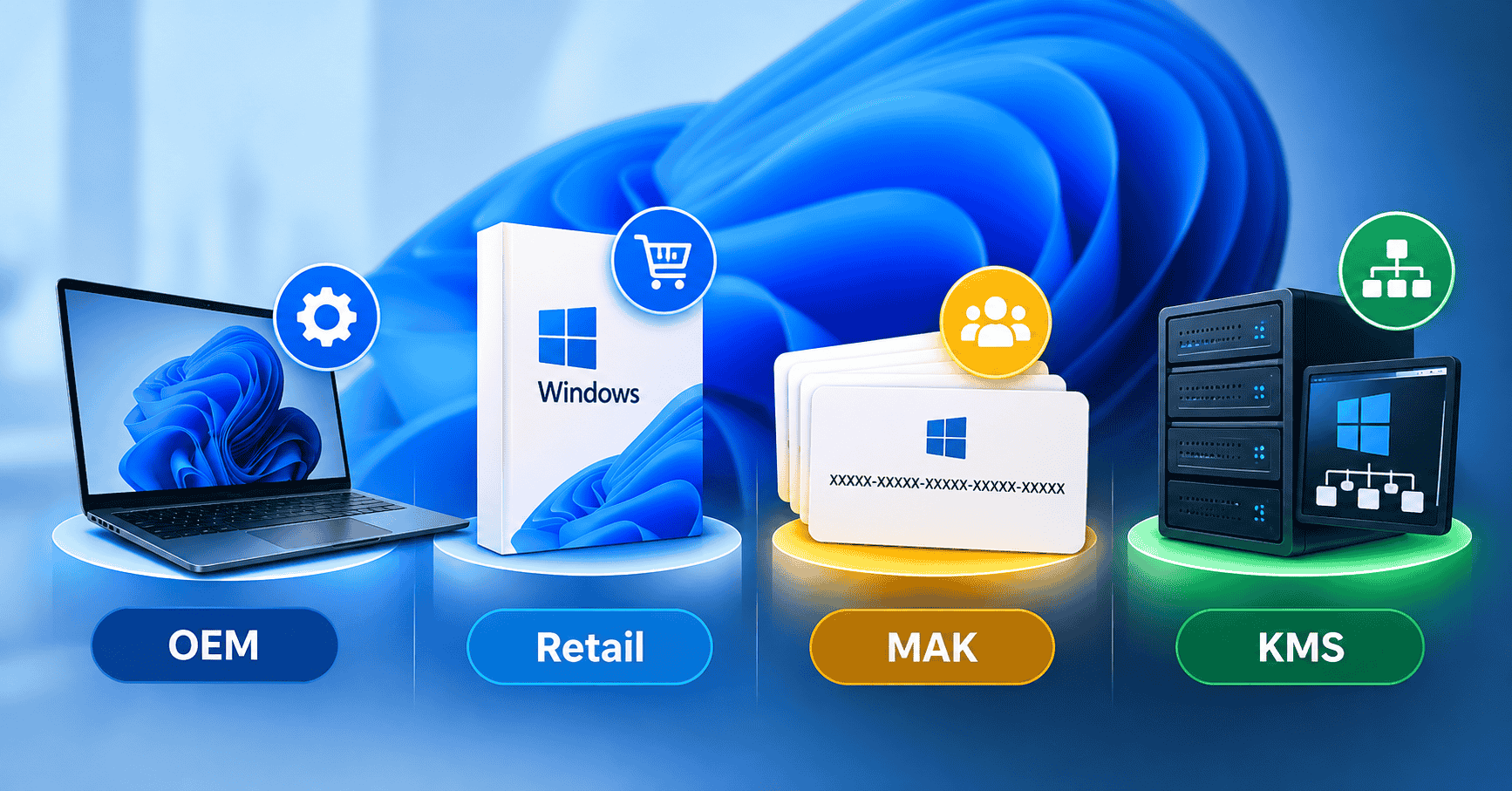
You searched for a Windows key and now you’re staring at a list of options you didn’t expect.
OEM. Retail. MAK. KMS.
None of these were explained to you when you just wanted to activate Windows and get on with your day.
This guide fixes that. By the end, you will know exactly what each license type means, why they exist, which one applies to your situation, and why the price differences between them are completely logical not suspicious.
No jargon. No unnecessary complexity. Just the actual answer.
Table of Contents
Why Do Different Windows License Types Even Exist?
Microsoft sells Windows to a lot of different kinds of customers. A person building a home PC has completely different needs from a company deploying Windows across 5,000 office computers.
A laptop manufacturer pre-installing Windows in a factory is different again. To serve all of them, Microsoft built separate licensing models, each priced and structured around how that type of customer actually uses Windows. Every model comes with its own rules on installation, transfer, and activation.
The system makes complete sense once you know who each type was built for. Without that context, it just looks like unnecessary complexity.
Let’s break it down properly.
OEM License — The Most Common Type You’ll Buy Online
What OEM Means
OEM stands for Original Equipment Manufacturer. These are Windows licenses sold to companies that build and sell PCs manufacturers like Dell, HP, Lenovo, and Asus.
When you buy a laptop and Windows is already installed on it, that’s an OEM license. The manufacturer purchased it from Microsoft in bulk at a discounted rate to pre-install on hardware before selling it to you.
Why OEM Keys Are Sold Separately
Here’s where it gets interesting. When manufacturers buy Windows in bulk, they sometimes end up with surplus keys — more than they needed for their production run. Those keys enter the secondary market and are sold individually by resellers.
This is the most common type of key you will find when buying a discounted Windows license online. It is a legitimate key from a legitimate source.
What Makes OEM Different from Other License Types
It is tied to the first machine it activates on.
OEM licenses are permanently bound to the hardware they activate on specifically the motherboard. Once you use an OEM key on a PC, that key belongs to that PC. You cannot deactivate it and move it to a different computer later.
If you build a new PC from scratch or replace your motherboard, an OEM license technically does not carry over. You would need a new key.
For most people, this is not a problem at all. If you are setting up a PC you plan to use for years, an OEM key works perfectly. You activate it once and you are done.
Who Should Buy an OEM License
- Home users setting up a personal desktop or laptop
- Small businesses deploying Windows on machines that will not change hardware frequently
- Anyone who wants genuine Windows at a fair price and does not need to transfer the license later
OEM License — Quick Facts
| Feature | Detail |
|---|---|
| Tied to hardware | Yes — motherboard-locked after activation |
| Transferable to new PC | No |
| Receives Windows updates | Yes, fully |
| Support from Microsoft | Limited (manufacturer handles support) |
| Price | Lower than Retail |
| Legitimacy | Fully genuine |
Retail License — The Flexible Option
What Retail Means
A Retail license is the standard consumer version of Windows sold directly by Microsoft or through authorised retail channels Microsoft’s own store, Amazon (sold by Amazon directly), Best Buy, and similar.
When you buy Windows 11 for £199 from Microsoft’s website, you are buying a Retail license. When you receive a physical box with a product key card inside, that is also a Retail license.
The Key Difference: Transferability
The defining feature of a Retail license is that it can be moved between computers.
If you activate Windows with a Retail key on your current PC, deactivate it, and then build a new PC, you can transfer that key to the new machine. Microsoft allows this. You can move a Retail license as many times as you like, as long as it is only active on one computer at a time.
This is why Retail keys cost significantly more than OEM keys.
FPP and ESD — Two Forms of Retail License
You may see two terms within the Retail category:
FPP (Full Packaged Product) – This is a physical retail purchase. The key comes in a box with printed media or a card. It is the same Retail license, just delivered physically.
ESD (Electronic Software Delivery) – This is the digital version of the same Retail license. You receive the key by email or download after purchase. No physical box. This is what most online Retail purchases look like today.
Both are exactly the same license type with the same rights. ESD is just faster and has no packaging.
Who Should Buy a Retail License
- Anyone who upgrades their hardware regularly and needs to move their Windows license between machines
- Users who want direct Microsoft support for their license
- Businesses that need documented, fully transferable licenses for compliance or auditing purposes
Retail License — Quick Facts
| Feature | Detail |
|---|---|
| Tied to hardware | No — transferable |
| Transferable to new PC | Yes, unlimited times |
| Receives Windows updates | Yes, fully |
| Support from Microsoft | Full |
| Price | Full retail price |
| Legitimacy | Fully genuine |
MAK License — Built for Businesses
What MAK Means
MAK stands for Multiple Activation Key. This is a license type that exists exclusively within Microsoft’s Volume Licensing programs agreements designed for organisations buying Windows in bulk.
A MAK key is a single product key that can be used to activate Windows on a specific number of computers. Microsoft assigns an activation limit to each MAK key when it is issued. If a business buys a volume license agreement that covers 200 computers, their MAK key might have 200 activations allowed on it.
How MAK Activation Works
When a computer activates using a MAK key, it connects to Microsoft’s activation servers and uses one activation from the key’s total count. Once all activations are used, the key cannot activate any more machines unless the organisation purchases additional licenses.
This is different from standard consumer keys because one MAK key can activate multiple computers it is not a one-device product.
Why You Might See MAK Keys Sold Online
This is where things get complicated. MAK keys sometimes appear on reseller sites at very low prices. They may have unused activations remaining after the original organisation’s contract ended or their hardware was retired.
The risk here is real: a MAK key sold by an unknown third party may have activations remaining right now but could have those activations revoked later if Microsoft determines the key was misused or if the original volume license agreement is cancelled.
This is one of the reasons why the source of a key matters. A reputable seller knows where their keys come from. An anonymous marketplace listing does not.
Who Should Use MAK Licensing
MAK licensing is genuinely designed for:
- IT departments managing Windows deployments across dozens or hundreds of machines
- Organisations participating in Microsoft’s Volume Licensing programs (like Microsoft Open, Microsoft Select, or Enterprise Agreements)
- Businesses that need centralised control over their software activations
If you are a home user or a small business buying one or two licenses, MAK is not what you are looking for. OEM or Retail is the right choice.
MAK License — Quick Facts
| Feature | Detail |
|---|---|
| Designed for | Organisations, volume deployments |
| Activations | Fixed limit set by Microsoft |
| Tied to hardware | No |
| Requires internet for activation | Yes (calls Microsoft’s servers) |
| Risk for individual buyers | Moderate — depends heavily on source |
| Price | Lower than Retail, varies by agreement |
KMS License — Enterprise Activation at Scale
What KMS Means
KMS stands for Key Management Service. This is the most enterprise-focused activation method in Microsoft’s licensing system, and the most misunderstood by individual users.
KMS is not a key you buy individually. It is an activation infrastructure that large organisations set up internally to manage Windows activations across their entire network.
Here is how it works: a company installs a KMS server on their internal network. Every Windows machine inside the company connects to that internal server periodically to renew its activation — instead of connecting to Microsoft’s external activation servers directly. The KMS server itself holds the organisation’s volume licensing credentials and handles activation locally.
Why KMS Exists
Imagine you are managing Windows across 10,000 computers in a large corporation. Activating each one individually with Microsoft’s external servers would be a logistical problem, especially for machines that are offline or on secured internal networks. KMS solves this by bringing activation in-house.
The KMS server activates the organisation’s entire Windows fleet, and each machine re-confirms its activation with the internal server every 180 days. If a machine leaves the corporate network for more than 180 days, its activation lapses.
The Important Part for Individual Buyers
KMS is not meant for individual users. If you see a “KMS key” being sold to you as an individual, that should raise a red flag.
KMS Generic Volume License Keys (GVLKs) – the keys that trigger KMS activation are publicly documented by Microsoft. They are not secret and are available in Microsoft’s official documentation. But using a GVLK on a personal PC means that PC needs to connect to a KMS server every 180 days to stay activated.
If someone uses a third-party or pirated KMS activation tool on a personal computer, they are not using a legitimate license. They are using an unauthorised workaround that activates Windows by mimicking a KMS server locally. This is what crack tools like “KMSPico” do, and they often come bundled with malware.
This is not the same as a legitimate KMS deployment inside a properly licensed organisation.
Who Should Use KMS Licensing
- Enterprise IT teams managing large-scale Windows deployments
- Organisations with Microsoft Enterprise Agreements or similar volume licensing contracts
- Businesses with the infrastructure to run and maintain a KMS server
If you are not in that category, KMS is not relevant to you. Buy an OEM or Retail key and activate normally.
KMS License — Quick Facts
| Feature | Detail |
|---|---|
| Designed for | Large enterprises, IT infrastructure |
| Activation method | Internal KMS server, renewed every 180 days |
| Suitable for home/small business | No |
| Individual key purchase | Not applicable — infrastructure-based |
| Risk of “KMS tools” online | High — usually malware or unauthorised cracks |
Side-by-Side Comparison: All Four License Types
| OEM | Retail | MAK | KMS | |
|---|---|---|---|---|
| Who it’s for | Home users, small biz | Anyone needing flexibility | Organisations | Large enterprises |
| Tied to one machine | Yes | No | No | No |
| Transferable | No | Yes | Limited | No |
| Number of PCs | 1 | 1 at a time | Multiple (fixed limit) | Unlimited (within org) |
| Activation method | Online, via Microsoft | Online, via Microsoft | Online, via Microsoft | Internal KMS server |
| Updates included | Yes | Yes | Yes | Yes |
| Best price point | Lowest | Highest | Middle | Enterprise contracts |
| Safe to buy individually | Yes | Yes | Depends on source | Not applicable |
Which License Type Is Right for You?
Let’s make this practical.
You are a home user setting up or reinstalling Windows
Buy an OEM key.
It is genuine, it works exactly like any other Windows installation, you receive all updates, and it costs significantly less than a Retail key. The only thing you give up is the ability to transfer it to different hardware later, which most people never need to do.
You upgrade your PC frequently or swap hardware often
Buy a Retail key.
The price premium is worth it for the flexibility. If you build a new PC every couple of years, a Retail key pays for itself in convenience over time.
You are an IT manager deploying Windows across a small to mid-sized business
Look into MAK through a proper volume licensing channel.
For fewer than 10 machines, OEM keys per device often makes more sense economically. For 10 or more, a volume agreement with MAK is worth investigating. Contact Microsoft or a licensed volume reseller for proper business licensing.
You are deploying Windows at enterprise scale
KMS through your organisation’s volume licensing agreement.
Talk to your Microsoft account manager. This is not an online purchase; it is a contract negotiation.
A Note on “Grey Market” Keys
You will hear the term “grey market” used to describe keys sold by third-party resellers at prices well below Microsoft’s retail price. The term is used loosely and covers a wide range — from completely legitimate surplus OEM keys to potentially problematic volume keys.
Grey market does not automatically mean illegal or unsafe. OEM keys entering the resale market through surplus inventory is a normal, legal part of how software distribution works. Regional price arbitrage, buying keys in lower-cost markets and reselling them elsewhere is also widely practiced.
The grey market becomes risky when:
- Keys are sourced through stolen payment methods
- Volume keys are sold without the organisation’s consent or against their licensing terms
- Sellers have no accountability, no reviews, and no return policy
Buying from an established reseller with verified reviews, a real business registration, and a clear replacement guarantee puts you firmly in the safe zone of the grey market, not the risky end.
How NoxKeys Handles Licensing
At NoxKeys, we sell OEM and Retail keys for Windows 10, Windows 11, Microsoft Office, and Windows Server.
Every key we sell goes through verification before it reaches you. Our delivery is instant by email. If a key does not activate, we replace it or refund you — no awkward back-and-forth.
We are a registered UK business (NEPTISE LTD, England and Wales) and we are not going anywhere. That matters when you need support after your purchase.
What we do not sell: suspicious MAK keys from unverifiable sources, or anything that requires a third-party activation tool to work. If you ever see a seller telling you to download a KMS activator to make your key work, walk away. That is not a legitimate key.
Frequently Asked Questions
What is the difference between OEM and Retail Windows keys?
An OEM key is permanently tied to the first computer it activates on and cannot be transferred. A Retail key can be moved between computers as many times as needed. OEM keys are cheaper; Retail keys are more flexible. For most home users who do not swap hardware regularly, OEM is the better value.
Is an OEM Windows key genuine?
Yes. OEM keys are real Microsoft-issued product keys. They activate Windows through Microsoft’s official servers, receive all updates, and function identically to Retail keys once installed. The only difference is the hardware lock.
Can a MAK key stop working?
Yes, potentially. If a MAK key was tied to a volume licensing agreement that has since been cancelled or flagged by Microsoft, its remaining activations can be revoked. This is why the source of a MAK key matters significantly. Buying a MAK key from a reputable seller with a replacement guarantee reduces this risk considerably.
What is a KMS activator and is it safe?
A “KMS activator” you find as a download online (like KMSPico or similar tools) is not a legitimate product. These tools simulate a KMS server locally to bypass activation without a real license. They are not legal and frequently come packaged with malware. A legitimate KMS activation only works within a properly licensed enterprise network — not on individual home computers using a downloaded tool.
Will any of these license types affect Windows performance or features?
No. Once Windows is activated — regardless of which license type was used the installed system behaves identically. Features, performance, and update eligibility are the same across OEM, Retail, and properly used MAK activations.
Can I upgrade from Windows 10 to Windows 11 with my existing key?
If your Windows 10 was properly activated (OEM or Retail), upgrading to Windows 11 through Windows Update is free and your existing activation carries over automatically. You do not need to buy a new key for the upgrade only for fresh installations on unlicensed machines.
What if I buy a key and my PC fails the hardware check?
Some older hardware does not meet Windows 11’s minimum requirements (specifically the TPM 2.0 requirement). This is a hardware compatibility issue, not a licensing issue. If your PC cannot run Windows 11, a Windows 11 key will not solve that, but a Windows 10 key will still activate your existing installation perfectly.
Is it legal to buy a Windows key from NoxKeys?
Yes. Purchasing Windows licenses from third-party resellers is legal for the buyer. Microsoft’s official position, confirmed through its support channels, is that buying licenses from third parties is permitted as long as the keys are legitimate. NoxKeys operates as a registered business and sells genuine keys.
The Short Version
- OEM — genuine, cheap, tied to one machine. Best for most people.
- Retail — genuine, more expensive, fully transferable. Best if you swap hardware.
- MAK — volume key for organisations, not individual buyers. Source matters a lot.
- KMS — enterprise infrastructure, not a product you buy individually. Any “KMS tool” download is a crack, not a license.