Table of Contents
Introduction
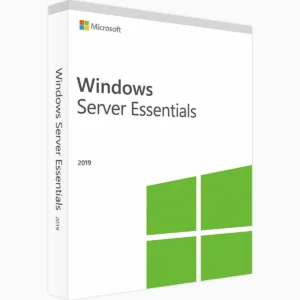
Choosing the right Windows Server edition for your small business represents a critical decision that affects functionality, costs, and future scalability. Windows Server 2022 Essentials is specifically designed for small businesses with up to 25 users and 50 devices, offering a simplified, cost-effective server solution. However, understanding whether Essentials provides sufficient capabilities for your specific business needs requires careful evaluation of its features, limitations, and how they align with your operational requirements.
Many small business owners face this decision with limited IT expertise, uncertain whether Essentials will meet their needs or if they should invest in the more expensive Standard edition. The Essentials edition costs significantly less than Standard but comes with strict licensing limits and feature restrictions that make it unsuitable for certain business scenarios. Making the wrong choice means either overspending on unnecessary capabilities or discovering too late that your edition lacks essential functionality.
The stakes are higher than simple feature comparison server infrastructure forms the foundation of modern business operations, supporting file sharing, data backup, user authentication, email, and business applications. Your server choice impacts daily productivity, security posture, disaster recovery capabilities, and your ability to scale as business grows. Understanding what Essentials provides, where it excels, and critically, where its limitations might constrain your business helps you make confident decisions.
This comprehensive guide examines Windows Server 2022 Essentials in depth, compares it with Standard edition, identifies which small businesses benefit most from Essentials, explains its limitations and when they become problematic, and provides decision frameworks to determine if Essentials is sufficient or if Standard better serves your needs.
Understanding Windows Server 2022 Essentials
Before evaluating suitability, understanding what Essentials is and how it differs from other server editions provides essential context.
What Is Windows Server Essentials?
Windows Server 2022 Essentials is a simplified server operating system designed specifically for small businesses with straightforward infrastructure needs. It provides:
Affordable Entry Point: Significantly lower licensing cost than Standard or Datacenter editions, making server technology accessible to small businesses with limited IT budgets.
Simplified Management: Streamlined configuration and management interfaces designed for businesses without dedicated IT staff or extensive technical expertise.
Core Server Functionality: Essential features including file sharing, data backup, user authentication, and basic server roles suitable for small office environments.
Licensing Simplicity: Single server licence with defined user and device limits, eliminating the complexity of core-based licensing and Client Access Licenses (CALs) used by Standard and Datacenter editions.
Essentials Licensing Model
Essentials uses a dramatically different licensing approach than Standard or Datacenter:
User and Device Limits:
- Maximum 25 users
- Maximum 50 devices
- Single physical server installation (no virtualization rights for Windows Server)
Included Rights: The Essentials licence includes user and device access rights within the stated limits—you don’t purchase separate Client Access Licenses (CALs) as required with Standard edition.
No Core-Based Licensing: Unlike Standard and Datacenter that charge based on processor cores (minimum 16 cores, then 2-core packs), Essentials uses simple per-server licensing regardless of core count.
Hardware Limitations:
- Maximum 2 physical processors
- Maximum 64 GB RAM (though this is a licensing limit, not a technical restriction)
Single Server Restriction: You can only have ONE Essentials server in your environment. If you need multiple servers, at least one must be Standard or Datacenter edition.
Target Audience
Essentials is specifically designed for:
Very Small Businesses: Companies with 5-25 employees who need basic server functionality without complexity.
Single-Location Operations: Businesses operating from one physical location without branch offices or distributed infrastructure.
Limited IT Resources: Organizations without dedicated IT staff who need manageable, simplified server administration.
Budget-Conscious Startups: New businesses seeking affordable entry to server infrastructure without overspending on features they won’t use immediately.
Simple IT Needs: Companies requiring fundamental server services (file sharing, backup, user management) without advanced infrastructure requirements.
Core Features Included in Essentials
Essentials provides substantial functionality despite its positioning as the entry-level server edition.
File and Folder Sharing
Centralized Storage: Create shared folders accessible to all users, providing centralized document storage, collaboration space, and organized file management.
User Permissions: Control access to shared folders based on user accounts, ensuring employees can only access appropriate files and folders for their roles.
Offline Files: Enable users to access shared files when disconnected from the network, with automatic synchronization when reconnected.
Previous Versions: File versioning through shadow copies allows users to restore previous versions of documents, protecting against accidental changes or deletion.
Remote Access: Users can access shared files remotely through web portal or mobile apps, supporting remote work arrangements.
Data Backup and Recovery
Server Backup: Built-in Windows Server Backup protects server data, system state, and entire server configuration with scheduled backups to external drives or network locations.
Client Computer Backup: Unique to Essentials, automated backup of client computers (Windows PCs and Mac computers) to the server protects user workstations without requiring separate backup software.
Azure Backup Integration: Optional integration with Microsoft Azure for offsite cloud backup, providing disaster recovery protection beyond local backup media.
File History: Automatic versioning of changed files provides point-in-time recovery capabilities for documents users modify frequently.
User Account Management
Active Directory Domain: Essentials creates a simplified Active Directory domain, providing centralized user authentication and single sign-on for domain-joined computers.
User Portal: Web-based dashboard where users manage passwords, access remote resources, and view account information without administrator assistance.
Group Management: Organize users into groups for easier permission assignment and policy application.
Password Policies: Enforce password complexity, expiration, and history requirements to maintain security standards.
Remote Access Solutions
Remote Web Access: Browser-based portal allowing users to access shared folders, internal websites, and remote desktop connections from anywhere with internet access.
VPN Connectivity: Built-in VPN server lets remote users securely connect to the office network as if physically present, accessing all internal resources.
Remote Desktop Gateway: Secure remote desktop connections to office computers through the web portal without exposing internal networks directly to the internet.
Anywhere Access: Mobile apps for iOS and Android enable smartphone and tablet access to server resources.
Health Monitoring and Alerts
Dashboard: Simplified administrative dashboard provides at-a-glance health status, alerts, and key metrics for server and network health.
Email Alerts: Automated email notifications inform administrators of critical issues, backup failures, security concerns, or hardware problems.
Network Health: Monitoring of network connectivity, internet access, and internal network performance with automatic troubleshooting recommendations.
Storage Monitoring: Alerts for low disk space, backup failures, or storage performance issues before they become critical problems.
Email Integration
Microsoft 365 Integration: Simplified setup and integration with Microsoft 365 email and collaboration services.
Exchange Server: Can host on-premises Exchange Server for email, though this consumes significant server resources and may exceed the 64 GB RAM practical limit.
Email Backup: Client computer backup includes Outlook data files (PST), protecting email, contacts, and calendar information.
Critical Limitations of Essentials Edition
Understanding Essentials’ restrictions is crucial for determining whether it meets your needs or if the Standard edition is necessary.
The 25 User / 50 Device Hard Limit
Non-Negotiable Maximum: You absolutely cannot exceed 25 user accounts or 50 devices. This is a licensing restriction, not a technical limitation. Exceeding these limits violates licensing terms and creates compliance issues.
User Account Counting: Every person requiring network access needs a user account. Part-time employees, contractors, and temporary workers all count toward the 25-user limit.
Device Counting: Computers, laptops, tablets, smartphones, and any device accessing server resources count toward the 50-device limit. In modern environments with users having multiple devices, this limit can arrive quickly.
Growth Constraint: The hard limit means Essentials cannot grow with your business. Once you approach 25 users, you must migrate to the Standard edition for a significant project involving data migration, reconfiguration, and potential downtime.
No License Stacking: You cannot purchase multiple Essentials licences to increase limits. Essentials is strictly one server with fixed limits.
Single Server Restriction
Only One Essentials Server: You can have only ONE Essentials server in your entire environment. If you need a second server for any reason, it must be Standard or Datacenter edition.
No Failover or Redundancy: The single-server restriction prevents implementing high-availability solutions, failover clusters, or redundant servers that larger businesses use for business continuity.
All Services on One Server: File sharing, backup, domain controller, applications, and all other services must run on the single Essentials server, creating a single point of failure.
Migration Complexity: If you outgrow Essentials, migrating to a multi-server Standard environment requires careful planning and execution.
No Virtualisation Rights for Windows Server
Physical Only: The Essentials licence permits only ONE physical installation of Windows Server 2022 Essentials. You cannot run Essentials as a virtual machine if you want to run additional Windows Server VMs.
No Guest VMs: You cannot run Windows Server virtual machines on the Essentials host. If you install Hyper-V, you can run other operating systems (Linux, etc.) but not additional Windows Server instances.
Comparison to Standard: Standard edition permits TWO Windows Server virtual machines per licence. Datacenter allows UNLIMITED VMs. Essentials allows ZERO additional Windows Server VMs.
Virtualization Impact: Modern IT infrastructure increasingly uses virtualization for flexibility, resource optimization, and disaster recovery. Essentials’ lack of virtualization rights is a significant limitation for businesses adopting modern infrastructure practices.
Hardware Limitations
2 Physical Processor Maximum: Essentials supports only 2 physical processor sockets. Modern servers with 4 or more processors cannot use Essentials edition.
64 GB RAM Limit: The licence restricts RAM to 64 GB. While this might seem sufficient, running multiple services, backup, and user workloads can consume memory quickly, particularly if hosting Exchange Server or resource-intensive applications.
Practical Impact: These hardware limits prevent fully utilizing powerful server hardware, leaving expensive hardware capacity unused due to licensing restrictions.
Feature Restrictions
Server Roles Limitations: While Essentials includes most server roles, some advanced roles are missing or restricted:
Remote Desktop Services: Limited to basic Remote Desktop Gateway. No Remote Desktop Session Host for hosting published applications or shared desktops.
No Active Directory Federation Services (ADFS): Cannot implement federated identity for cloud application integration.
Limited Network Policy Server: Some advanced RADIUS and network access control features are restricted.
Hyper-V Limitations: As mentioned, Hyper-V is available but you cannot host Windows Server VMs.
No Domain Join to Existing Domain
Must Be Domain Root: Essentials must be the domain controller for a NEW domain. You cannot join Essentials to an existing Active Directory domain as a member server.
Migration Implications: If you have existing domain infrastructure and add Essentials, you create a separate domain, requiring trust relationships or complete domain migration both complex undertakings.
Single Domain Controller: The single Essentials server acts as your only domain controller, creating a significant single point of failure for authentication services.
Comparing Essentials vs. Standard Edition
Direct comparison highlights where Essentials suffices and where Standard becomes necessary.
Feature Comparison Table
| Feature | Essentials | Standard |
|---|---|---|
| User Limit | 25 users maximum | Unlimited users |
| Device Limit | 50 devices maximum | Unlimited devices |
| Number of Servers | 1 server only | Unlimited servers |
| Physical Processors | 2 maximum | Unlimited |
| RAM Limit | 64 GB | 24 TB |
| Core-Based Licensing | No | Yes (min. 16 cores) |
| CALs Required | No (included) | Yes (separate purchase) |
| Windows Server VMs | 0 VMs | 2 VMs per licence |
| Domain Controller | Must be root of new domain | Can join existing domains |
| Failover Clustering | Not supported | Supported |
| RDS Session Host | Not supported | Supported |
| Storage Replica | Not supported | Supported |
| Simplified Dashboard | Yes | No (uses Server Manager) |
| Client Backup Feature | Yes | No (requires separate solution) |
Cost Comparison
Essentials Pricing:
- Single server licence: Typically $500-$700 (pricing varies by channel and volume licensing programs)
- Includes access rights for 25 users and 50 devices
- No additional CAL purchases required
- Total cost: ~$500-$700
Standard Pricing:
- Core-based licensing: 16-core licence typically $900-$1,200 (base server)
- CALs required: ~$40 per User CAL or Device CAL
- For 25 users: Base licence + (25 CALs × $40) = $900-$1,200 + $1,000 = $1,900-$2,200
- Servers with more than 16 cores require additional 2-core packs
- Total cost for 25-user environment: ~$2,000-$2,500+
Cost Advantage: Essentials costs approximately $1,500 less than Standard for small environments with 25 or fewer users, representing significant savings for budget-conscious small businesses.
When Cost Savings Justify Limitations
Startup Phase: New businesses with 5-15 employees benefit from Essentials’ lower cost during early growth stages with limited revenue.
Stable Small Teams: Established businesses with stable team sizes under 25 that won’t grow significantly find Essentials provides long-term value.
Simple Infrastructure: Businesses with straightforward needs who won’t require multiple servers or advanced features recoup Essentials’ cost savings continuously.
Budget Constraints: For businesses where $1,500+ price difference is significant, Essentials’ savings justify working within its limitations.
When Standard’s Additional Cost Is Justified
Growth Trajectory: Businesses planning to grow beyond 25 users within 2-3 years should invest in Standard immediately, avoiding expensive migration projects.
Multiple Locations: Organizations with branch offices need multiple servers, requiring Standard for at least some locations.
Advanced Features: Businesses requiring failover clustering, advanced RDS, or virtualization need Standard’s capabilities.
Future-Proofing: Standard eliminates growth constraints, providing architectural flexibility as business needs evolve.
Ideal Scenarios for Windows Server 2022 Essentials
Certain business profiles align perfectly with Essentials’ capabilities and limitations.
Small Professional Services Firms
Law Firms (5-20 attorneys): Small legal practices need centralized document storage, secure remote access, and backup—all core Essentials strengths. Legal files are sensitive but law firms typically don’t require complex IT infrastructure.
Accounting Firms: Small accounting practices with 10-25 employees benefit from Essentials’ file sharing, backup, and remote access while staying within user limits.
Consulting Firms: Small consulting groups need file collaboration and remote access but rarely exceed 25 users or require advanced infrastructure.
Architecture/Engineering: Small A&E firms with CAD workstations benefit from centralized storage and backup without needing multiple servers.
Medical and Dental Practices
Small Medical Practices: Clinics with 15-25 staff (doctors, nurses, administrative) need HIPAA-compliant file storage and backup. Essentials provides this within budget constraints.
Dental Offices: Single-location dental practices with 10-20 employees find Essentials sufficient for patient records, scheduling systems, and digital imaging storage.
Compliance Note: Healthcare organizations must ensure their overall infrastructure (not just server) meets HIPAA requirements. Essentials provides the technical foundation, but comprehensive compliance requires additional measures.
Retail and Hospitality
Small Retail Stores: Single-location retail operations with 15-25 employees need basic inventory management, employee scheduling, and file sharing all within Essentials’ capabilities.
Restaurants: Restaurant operations with manager offices, point-of-sale integration, and employee records benefit from Essentials’ centralized management.
Small Hotels: Boutique hotels and bed-and-breakfasts with limited staff find Essentials adequate for guest management systems and business operations.
Manufacturing and Warehousing
Small Manufacturers: Production facilities with 20-30 total employees (including office and production workers) use Essentials for administrative functions, production documentation, and inventory management.
Warehouse Operations: Small distribution centers need basic inventory systems and employee management within Essentials’ user limits.
Non-Profit Organizations
Small Non-Profits: Community organizations, small charities, and advocacy groups with limited budgets and 10-25 staff or volunteers appreciate Essentials’ affordability while gaining professional IT infrastructure.
Religious Organizations: Churches and religious organizations with small administrative staffs find Essentials meets their file sharing, website hosting, and member database needs economically.
When Essentials Is NOT Enough
Recognizing scenarios where Essentials’ limitations become problematic helps avoid costly mistakes.
Growing Businesses Approaching Limits
Near 25 Users: If you currently have 20-23 users, you’ll exceed limits within months. Investing in Standard prevents imminent migration projects.
Rapid Growth: Businesses hiring actively or scaling quickly outgrow Essentials rapidly. Standard’s unlimited users eliminate growth constraints.
Seasonal Variation: Businesses with seasonal employees might temporarily exceed 25 users, creating licensing compliance issues.
Contractor/Consultant Usage: Organizations frequently engaging contractors or consultants count them toward user limits, reaching capacity faster than employee count suggests.
Multi-Location Operations
Branch Offices: Businesses with headquarters plus branch locations need servers at multiple sites, incompatible with Essentials’ single-server restriction.
Geographic Distribution: Regionally distributed operations require local servers for performance and reliability, necessitating Standard for additional servers.
Acquisition Growth: Companies growing through acquisition of other small businesses suddenly need multi-server infrastructure incompatible with Essentials.
Advanced IT Requirements
Application Hosting: Businesses hosting line-of-business applications, database servers, or web applications benefit from Standard’s ability to separate services across multiple servers.
High Availability Needs: Organizations requiring 24/7 uptime need failover clustering or redundant servers impossible with Essentials’ single-server limitation.
Virtualization Strategy: Companies adopting virtual infrastructure for flexibility, disaster recovery, or resource optimization require Standard or Datacenter’s virtualization rights.
Terminal Services: Businesses wanting to host applications via Remote Desktop Services for users to access published apps need Standard’s RDS Session Host capabilities.
Specialized Workloads
Exchange Server Hosting: While possible on Essentials, hosting Exchange on-premises consumes excessive resources on a 64 GB RAM server. Standard with more RAM serves larger mailbox counts better.
SQL Server Databases: Production SQL Server deployments benefit from Standard’s higher RAM limits and ability to host databases on dedicated servers.
Video Surveillance: IP camera systems storing significant video data need more than 64 GB RAM for optimal performance.
Engineering/CAD: Firms with numerous large CAD files benefit from Standard’s higher RAM for file sharing performance.
Migration Path from Essentials to Standard
Understanding the upgrade path helps plan for future growth.
When to Plan Migration
User Count at 20: Begin planning when reaching 20 users, giving time to budget, plan, and execute migration before hitting hard limits.
Adding Second Server: When business needs require additional servers (branch office, application server, failover), migration becomes necessary.
Feature Limitations: When specific Standard features (RDS, clustering, virtualization) become business requirements, plan migration promptly.
Hardware Constraints: When 64 GB RAM or 2-processor limits constrain performance, Standard’s hardware flexibility becomes necessary.
Migration Complexity
Cannot Simply Upgrade: You cannot perform an in-place edition upgrade from Essentials to Standard as you can between Standard and Datacenter. Migration requires:
New Server Hardware (Recommended): Deploy new Standard server alongside existing Essentials server, migrate data and services, then decommission Essentials.
Domain Reconstruction: Since Essentials must be domain root, Standard implementation often requires rebuilding the domain or complex domain restructuring.
Data Migration: Transfer file shares, user accounts, group policies, and configurations to new Standard server.
Service Reconfiguration: Reconfigure backup, remote access, applications, and other services on Standard server.
Client Computer Updates: Update client computers to join new domain or point to new server resources.
Downtime Required: Even well-planned migrations require some downtime for cutover, typically a weekend.
Migration Costs
Beyond Standard licensing costs, migration includes:
Professional Services: IT consultants to plan and execute migration: $2,000-$5,000 for small environments
Potential Hardware: New server hardware if existing server is undersized or Essentials-specific: $3,000-$8,000
Backup Solution: Essentials’ client backup feature doesn’t exist in Standard, requiring separate backup software: $500-$2,000
Downtime Impact: Business disruption during migration cutover
Total Migration Cost: $6,000-$15,000+ depending on complexity and requirements
Cost vs. Planning: Starting with Standard when growth is anticipated avoids these migration costs entirely, often justifying Standard’s higher initial investment.
Making the Decision: Essentials or Standard?
Use this framework to determine which edition suits your business.
Decision Criteria Checklist
Current Situation:
- We have 15 or fewer users currently
- We have 35 or fewer devices currently (allowing growth room)
- We operate from one physical location only
- We don’t need multiple servers
- Our IT infrastructure is simple and straightforward
- We don’t have dedicated IT staff
- Budget is a significant constraint
Future Outlook:
- We’ll stay under 20 users for at least 3 years
- We won’t open additional locations within 3 years
- We don’t plan to implement advanced IT infrastructure
- We won’t need high availability or failover
- We won’t need to host multiple applications on separate servers
Technical Requirements:
- We don’t need Windows Server virtualization
- 64 GB RAM is sufficient for our workloads
- We don’t need Remote Desktop Services session hosting
- We don’t require failover clustering
- Single domain controller is acceptable
Decision Rule:
Choose Essentials if: You checked 10+ boxes total, including most “Current Situation” and “Future Outlook” items. Essentials meets your needs and provides cost savings.
Choose Standard if: You checked fewer than 10 boxes, or you left unchecked multiple “Future Outlook” or “Technical Requirements” items. Standard prevents limitations from constraining your business.
Unsure? When uncertain, Standard is the safer choice. The additional upfront cost is less than migration costs if you outgrow Essentials.
Cost-Benefit Analysis Framework
Essentials Advantage: ~$1,500 lower initial cost
Standard Advantages:
- No user/device growth limits
- Multi-server capability
- Virtualization flexibility
- Avoids $6,000-$15,000 migration costs
- Future-proofs infrastructure
Break-Even Analysis: If there’s >40% probability you’ll need Standard within 3 years, Standard’s upfront cost saves money vs. Essentials + eventual migration costs.
Frequently Asked Questions (FAQs)
Can I add more users to Essentials by purchasing additional licenses?
No, you cannot expand Essentials beyond its 25-user, 50-device limits by purchasing additional licences. The 25/50 limits are absolute licensing restrictions that cannot be increased under any circumstances. Essentials is designed as a single-server solution with fixed capacity. If your needs exceed these limits, you must migrate to Windows Server 2022 Standard edition, which has no user or device limits (though Standard requires separate Client Access License purchases for each user or device).
What happens if I exceed 25 users on an Essentials server?
Exceeding Essentials’ user limits creates licensing non-compliance that violates Microsoft’s terms of service. While the software may technically allow adding more users, doing so puts you in violation of licensing agreements, exposing your organization to potential penalties, fines, and legal liability during software audits. Additionally, you won’t receive support from Microsoft for non-compliant installations. The correct approach when approaching limits is to proactively migrate to Standard edition before exceeding capacity.
Can I run Essentials as a virtual machine?
Yes, you can install Windows Server 2022 Essentials in a virtual machine on a hypervisor host. However, this doesn’t provide additional virtualization rights—you still cannot run additional Windows Server VMs on that host using the Essentials licence. The single Essentials licence covers one installation (physical or virtual) but provides no rights to run guest Windows Server VMs. This differs significantly from Standard (2 VMs) and Datacenter (unlimited VMs). You can run non-Windows operating systems (Linux, etc.) as VMs alongside Essentials.
Does Essentials include Microsoft 365 or Office applications?
No, Windows Server 2022 Essentials is an operating system licence only and does not include Microsoft 365 subscriptions, Office applications (Word, Excel, PowerPoint, etc.), Exchange Server, or other application software. While Essentials integrates well with Microsoft 365 and simplifies configuration, you must purchase Microsoft 365 subscriptions separately for each user who needs email, Office applications, or cloud services. Essentials provides the server infrastructure, but productivity applications require separate licensing.
Can I upgrade from Essentials to Standard in-place without reinstalling?
No, there is no in-place upgrade path from Essentials to Standard edition. Unlike the upgrade from Standard to Datacenter (which uses DISM command-line tools), moving from Essentials to Standard requires migration to a new server installation. This typically involves deploying a new Standard server, migrating data and user accounts, reconfiguring services, and then decommissioning the Essentials server. This migration process requires careful planning and typically professional IT assistance to minimize downtime and ensure data integrity.
Is the Essentials simplified dashboard available on Standard edition?
No, the streamlined Essentials Dashboard is unique to Essentials edition and is not available on Standard or Datacenter editions. Standard uses Server Manager for administration, which is more complex but provides greater control and flexibility. Some third-party tools and Windows Admin Center provide simplified management interfaces for Standard edition, but they’re not identical to Essentials’ dashboard. The Essentials dashboard is specifically designed for non-technical administrators, while Standard assumes more IT expertise.
Conclusion
Windows Server 2022 Essentials serves a specific market segment extremely well small businesses with 15-25 users, single-location operations, straightforward IT needs, and budget constraints. For businesses fitting this profile, Essentials provides professional server infrastructure at approximately half the cost of Standard edition, including features like centralized file storage, automated backup, user management, and remote access that would otherwise require expensive enterprise solutions or complex cloud service configurations.
The edition’s key strengths lie not just in cost savings but in simplified administration through the Essentials Dashboard, included access rights eliminating the complexity of Client Access License management, built-in client computer backup unique to Essentials, and integrated remote access capabilities that enable remote work without expensive VPN or remote access solutions. For very small businesses without IT staff, these simplified management features provide substantial value beyond mere cost savings.
However, Essentials’ limitations are significant and non-negotiable. The hard 25-user and 50-device limits mean businesses approaching these thresholds face expensive migration projects. The single-server restriction prevents implementing redundancy, high availability, or multi-location infrastructure. The lack of Windows Server virtualization rights eliminates modern infrastructure flexibility that Standard provides. For businesses with growth ambitions, multiple locations, advanced IT requirements, or approaching user limits, these constraints justify Standard edition’s higher initial investment.
The decision framework is straightforward: if you’re a stable small business with 15-20 or fewer users, single location, simple IT needs, and budget consciousness, Essentials provides excellent value. If you’re growing, planning expansion, approaching 25 users, need advanced features, or require multiple servers, Standard’s additional capabilities and lack of growth constraints justify its higher cost and prevent expensive migration projects later.
Critically, “future-proofing” considerations strongly favor Standard for businesses with any growth trajectory. The approximately $1,500 additional cost for Standard is minimal compared to $6,000-$15,000 migration costs when outgrowing Essentials. When uncertain about future growth, Standard represents the safer, more flexible investment that won’t constrain your business as it evolves.
For small businesses evaluating server infrastructure and needing guidance on selecting the appropriate Windows Server edition, licensing options, and proper implementation for your specific requirements, work with trusted Microsoft partners or IT consultants who can assess your current needs, evaluate growth projections, and recommend solutions that provide both immediate functionality and long-term scalability without unnecessary expense.