
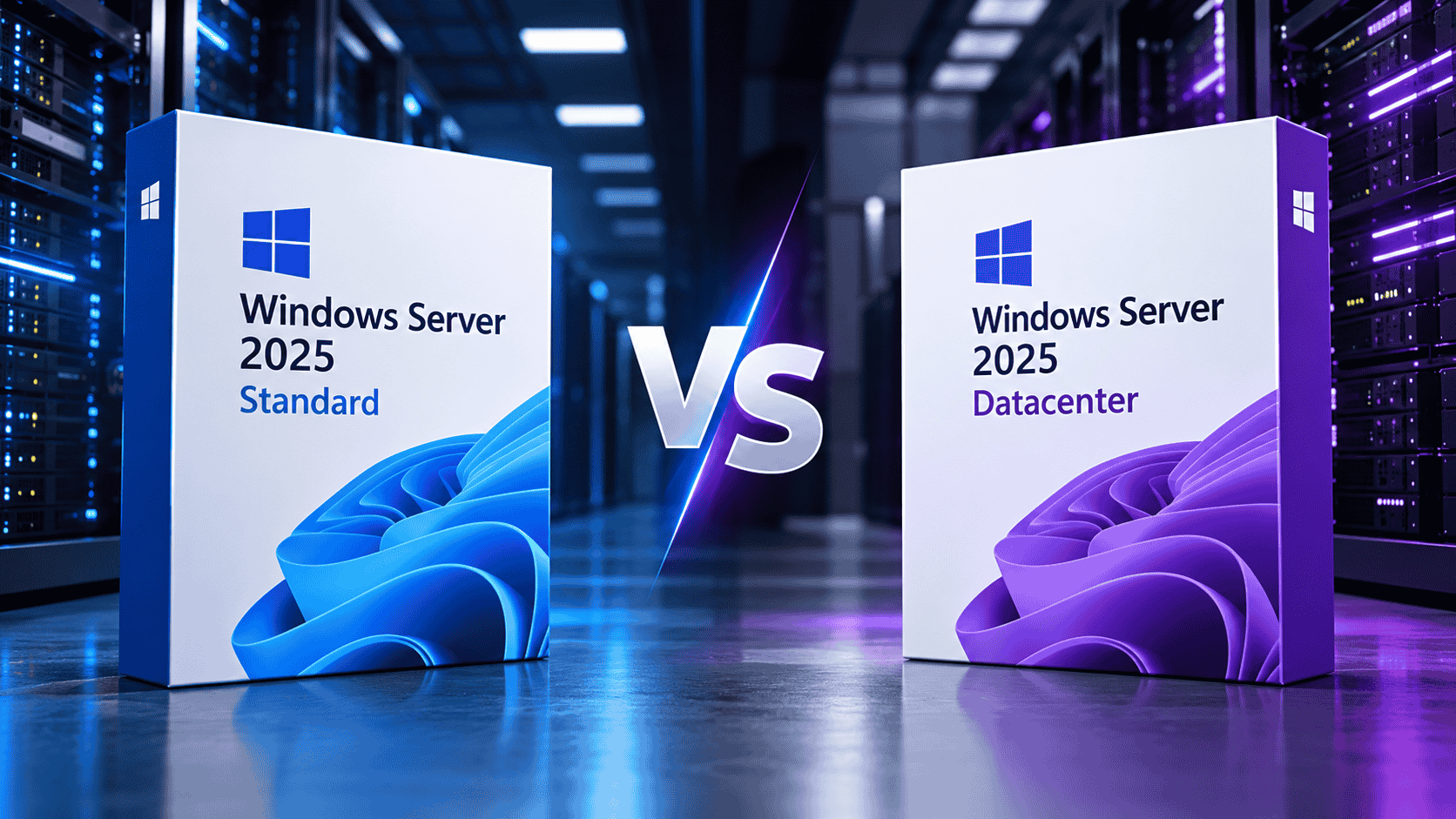
Choose Windows Server 2025 Standard for a physical server or a host running up to about 10 Windows Server virtual machines. Choose Windows Server 2025 Datacenter when a host will run 11–12 or more Windows Server VMs, or when you need Storage Spaces Direct, software-defined networking or shielded VMs. Both editions are the same operating system, with the same core-based licensing, CAL rules and support dates. Datacenter adds unlimited virtualisation and a few datacenter-scale features.
That is the short version. The rest of this guide shows exactly where the line sits, with real numbers, so you buy the right licence first time and don’t overpay or end up under-licensed later.
- Windows Server VMs
- 2 per licence set
- Hyper-V isolated containers
- 2
- Storage Spaces Direct
- No
- SDN Network Controller
- No
- Shielded VMs
- No
- Windows Server VMs
- Unlimited
- Hyper-V isolated containers
- Unlimited
- Storage Spaces Direct
- Yes
- SDN Network Controller
- Yes
- Shielded VMs
- Yes
Windows Server 2025 Standard vs Datacenter: Full Comparison
| Capability | Standard | Datacenter |
|---|---|---|
| Reference price (16 cores) | $1,176 | $6,771 |
| Licensing model | Per core + CALs | Per core + CALs |
| Windows Server VMs per licensed host | 2 (stack for more) | Unlimited |
| Process-isolated containers | Unlimited | Unlimited |
| Hyper-V isolated containers | 2 | Unlimited |
| Hyper-V and Failover Clustering | Included | Included |
| Storage Replica | Included (limited) | Included |
| Storage Spaces Direct | Not available | Included |
| Network Controller (SDN) | Not available | Included |
| Shielded VMs (Host Guardian Hyper-V) | Not available | Included |
| Automatic VM Activation host | Not available | Included |
| GPU partitioning | Standalone servers | Standalone + clusters |
| SMB over QUIC | Included | Included |
| Hotpatching via Azure Arc | $1.50/core/month | $1.50/core/month |
| Mainstream / extended support | Nov 2029 / Nov 2034 | Nov 2029 / Nov 2034 |
What Are Windows Server 2025 Standard and Datacenter?
Windows Server 2025 is Microsoft’s current Long-Term Servicing Channel (LTSC) server operating system. It became generally available in November 2024 and replaces Windows Server 2022, which left mainstream support on 13 October 2026. For a new server or a hardware refresh today, 2025 is the version to buy because it has the longest support runway.
For on-premises servers, Microsoft sells it in two main editions.
Windows Server 2025 Standard
Standard is the full Windows Server operating system: Active Directory, DNS, DHCP, file and print services, IIS, Hyper-V, Failover Clustering, Remote Desktop Services, Storage Replica, SMB over QUIC and more. Its limit is not features. Its limit is how many Windows Server virtual machines one licence lets you run. It is built for physical servers and lightly virtualised hosts.
Windows Server 2025 Datacenter
Datacenter is the same operating system with unlimited Windows Server VMs on a licensed host, plus a small set of features for software-defined datacenters: Storage Spaces Direct, the SDN Network Controller, shielded virtual machines and clustered GPU partitioning. It is built for heavily virtualised hosts, Hyper-V clusters and hyper-converged infrastructure.
The Biggest Difference: Virtualisation Rights
Microsoft licensing counts OSEs (operating system environments). The physical installation is one OSE, and each virtual machine is another.
Standard: 2 VMs per licence set
When you license all physical cores of a server with Standard, you can run 2 Windows Server VMs plus the physical Hyper-V host, as long as the host is only used to run and manage those VMs. To run more, you stack licences: license every core again for each additional 2 VMs.
Datacenter: unlimited VMs
License all physical cores once with Datacenter and you can run as many Windows Server VMs as the hardware will hold. There is no counting and no stacking.
Why clusters change the maths
Licences are assigned to physical servers, not to VMs. In a Hyper-V cluster, every node must be licensed for the largest number of Windows Server VMs that could run on it, for example during a failover. A licence can also only be reassigned to a different server once every 90 days, except after a permanent hardware failure. With Standard, a 3-node cluster where any node might briefly carry every VM needs enough stacked licences on every node. Datacenter simply covers each node for unlimited VMs, which is why clusters tip towards Datacenter long before a single host would.
The 11–12 VM Break-Even Rule (With Real Numbers)
This is the calculation most comparison articles skip, and it is the only one you really need. Using Microsoft’s reference prices for a 16-core host:
| Windows Server VMs | Standard sets | Standard cost | Datacenter cost | Cheaper |
|---|---|---|---|---|
| 0–2 | 1 | $1,176 | $6,771 | Standard |
| 3–4 | 2 | $2,352 | $6,771 | Standard |
| 5–6 | 3 | $3,528 | $6,771 | Standard |
| 7–8 | 4 | $4,704 | $6,771 | Standard |
| 9–10 | 5 | $5,880 | $6,771 | Standard |
| 11–12 | 6 | $7,056 | $6,771 | Datacenter |
| 13–14 | 7 | $8,232 | $6,771 | Datacenter |
The maths: $6,771 ÷ $1,176 ≈ 5.76. Datacenter costs the same as about 5.76 Standard licence sets, which cover about 11.5 VMs. Since you can’t run half a VM:
- Up to 10 VMs: Standard is clearly cheaper.
- 11 VMs: you need 6 Standard sets anyway, so Datacenter is already slightly cheaper.
- 12+ VMs: Datacenter wins, and the gap widens with every extra pair of VMs.
Both editions are priced per core, so this ratio doesn’t change with server size. The break-even point is the same on a 16, 32 or 64-core host.
Datacenter-Only Features: Who Actually Needs Them?
According to Microsoft’s official edition comparison, almost every role and feature is identical in both editions. These are the exceptions.
Storage Spaces Direct
Storage Spaces Direct (S2D) pools the local drives of several servers into one shared, highly available storage system. It is the foundation of hyper-converged infrastructure on Windows Server. If you are building a 2–16 node HCI cluster on local NVMe or SSD drives, every node needs Datacenter. Standard still includes regular Storage Spaces for a single server.
Network Controller (software-defined networking)
The Network Controller is the control plane of Microsoft’s SDN stack. It manages virtual networks, distributed firewalls and network policy across Hyper-V hosts. Most small and mid-sized businesses never deploy it; hosting providers and large private clouds do.
Shielded VMs and Host Guardian Hyper-V support
Shielded VMs encrypt a virtual machine’s state and disks and only let it run on approved, attested hosts. That protects VMs from a compromised or malicious host administrator, which matters for domain controllers, certificate authorities and regulated workloads. Standard can run the Host Guardian Service itself, but it cannot act as a guarded host for shielded VMs.
Automatic Virtual Machine Activation (AVMA)
AVMA lets Windows Server VMs activate automatically against a Datacenter Hyper-V host without individual keys or a KMS server. Standard VMs can use AVMA as guests on a Datacenter host, but a Standard host cannot provide it.
GPU partitioning
Windows Server 2025 can split one physical GPU between several VMs for AI inference, VDI or rendering. Standard supports this on standalone servers, including planned live migration between standalone nodes. For GPU-partitioned VMs on a failover cluster with protection against unplanned downtime, Microsoft says Datacenter is required.
Features that are the same in both
- Hyper-V and Failover Clustering: both editions can build clusters.
- Storage Replica: included in Standard since Windows Server 2019, with limits (a single partnership and volumes up to 2 TB). Datacenter has no such limits.
- Active Directory, DNS, DHCP, IIS, RDS, WSUS and Windows Server Backup: identical.
- Hardware limits and performance: same kernel, same processor and memory maximums.
- Security: Credential Guard, virtualisation-based security, TLS 1.3 and Microsoft Defender Antivirus are the same.
What Changed in Windows Server 2025 (and Why Standard Got Better)
Several capabilities that used to push buyers towards Datacenter or the Azure Edition are now available in Standard too.
SMB over QUIC is now in Standard and Datacenter
In Windows Server 2022, SMB over QUIC (secure file access over UDP 443 without a VPN) was limited to Datacenter: Azure Edition. In 2025 it is available in both Standard and Datacenter, which is a real win for small businesses with remote staff.
Hotpatching for on-premises servers
Hotpatching installs security updates without a reboot. With Windows Server 2025, both Standard and Datacenter can use it on-premises once the server is connected to Azure Arc. According to Microsoft’s Windows Server blog, it costs $1.50 per CPU core per month. It runs on a cycle of one baseline month that needs a reboot, followed by two months of rebootless patches. Price and process are the same for both editions, so hotpatching is not a reason to choose Datacenter.
GPU partitioning on Standard
Standard can now partition GPUs on standalone hosts. Only clustered GPU partitioning needs Datacenter.
A wider price gap
Datacenter’s reference price rose more than Standard’s compared with the 2022 generation. That pushed the break-even point higher. Older advice that Datacenter pays off from 8–10 VMs was based on older price ratios; at 2025 prices the realistic crossover is 11–12.
How Core Licensing Works for Both Editions
Standard and Datacenter use exactly the same core-based model:
- License every physical core in the server. Physical cores count; hyper-threads and logical processors don’t.
- At least 8 core licences per physical processor.
- At least 16 core licences per server, even if the server has fewer cores.
- Core licences are sold in 2-core and 16-core packs.
Worked example: a 32-core host running 6 Windows Server VMs needs 3 Standard licence sets × 32 cores = 96 Standard core licences (about $7,056 at reference prices). Datacenter needs just 32 core licences (about $13,542). Standard still wins at 6 VMs, but at 12 VMs Standard rises to about $14,112 and Datacenter becomes the cheaper option.
CALs and RDS CALs: The Cost People Forget
Core licences cover the server software, not the people or devices using it. Whichever edition you choose, you also need access licences.
- Anything that logs on, uses file shares, authenticates to Active Directory or prints through the server counts as access.
- User CALs suit staff with several devices; Device CALs suit shared devices used in shifts.
- CAL costs are identical for both editions, so they don’t change the Standard vs Datacenter decision, but they do change your budget.
Windows Server 2025 Support Lifecycle
Standard and Datacenter share the same support dates. Microsoft’s lifecycle page for Windows Server 2025 lists mainstream support until 13 November 2029 and extended (security-only) support until 14 November 2034.
Which Licence Do You Need? 6 Real-World Scenarios
Scenario 1: Small office domain controller and file server
Scenario 2: Small Hyper-V host
Scenario 3: Growing virtual host
Scenario 4: Dense virtualisation host
Scenario 5: Two- or three-node Hyper-V cluster
Scenario 6: Hyper-converged infrastructure
What About Datacenter: Azure Edition and Essentials?
Datacenter: Azure Edition
This edition runs only on Azure, Azure Local (formerly Azure Stack HCI) and Azure Stack. You don’t buy it for your own general-purpose hardware. It includes built-in hotpatching and Azure Extended Networking, but it is not an option for a normal on-premises server, so it is not really part of the Standard vs Datacenter decision.
Windows Server Essentials
Essentials is a cut-down option for very small businesses: up to 25 users and 50 devices on a single-processor server with a limited core count, usually sold pre-installed by hardware vendors. It doesn’t need CALs, but it leaves little room for virtualisation or growth. Our Windows Server 2019 Essentials page explains what it includes. If you expect to pass 25 users or run VMs, go straight to Standard.
Can You Upgrade From Standard to Datacenter Later?
Yes. Windows Server supports an in-place edition upgrade from Standard to Datacenter with DISM and a valid Datacenter key, without reinstalling roles or data. Run these from an elevated command prompt:
DISM /Online /Get-TargetEditions
DISM /Online /Set-Edition:ServerDatacenter /ProductKey:XXXXX-XXXXX-XXXXX-XXXXX-XXXXX /AcceptEula
The server restarts as Datacenter. Keep two things in mind:
- It is one-way. You can’t convert Datacenter back to Standard in place; that needs a clean install.
- You pay twice. Standard licences you already bought aren’t credited towards Datacenter. If you are close to the 11–12 VM line, buying Datacenter first is usually cheaper.
Running an older version? You can upgrade in place to 2025 from Windows Server 2012 R2 or later. If you are staying on an earlier release for now, see Windows Server 2022 Datacenter or Windows Server 2019 Datacenter, keeping in mind their shorter support windows shown in Figure 8.
Common Licensing Mistakes to Avoid
- Licensing only the cores your VMs use. You license the physical host’s cores. A 4-vCPU VM on a 32-core host still needs all 32 cores licensed.
- Forgetting the 16-core minimum. A small 8-core server still needs 16 core licences.
- Counting only today’s VMs. If you will pass 11–12 VMs within a few years, Standard can cost more overall.
- Ignoring failover in clusters. Each node must be licensed for the VMs it could run, not just the ones it usually runs.
- Buying Datacenter for a physical server with no VMs. Unless you need S2D, SDN or shielded VMs, Standard does the same job for far less.
- Skipping CALs and RDS CALs. They apply to both editions and are often the largest line item for small businesses.
- Mixing CAL versions. Older CALs don’t cover a Windows Server 2025 server.
Standard vs. Datacenter: Which Is Right for You?
For most small and mid-sized businesses, Windows Server 2025 Standard is the right licence. It has the full Windows Server feature set, now includes SMB over QUIC and hotpatching support, and costs a fraction of Datacenter. It fits physical servers and hosts with up to about 10 Windows Server VMs.
Choose Windows Server 2025 Datacenter when any host will run 11–12 or more Windows Server VMs, when you are building a Hyper-V cluster with regular failover, or when you need Storage Spaces Direct, SDN or shielded VMs. In those environments Datacenter isn’t the premium option; it’s the cheaper one.

Keys are delivered instantly by email with download and activation instructions. Licensing a multi-core host or stacking for several VMs? Contact our team before you order and we’ll help you work out the right quantity. You can also browse all Windows Server licences or read our FAQ.
Setting up an admin workstation for the new server? A Windows 11 Pro PC gives you domain join, BitLocker and Remote Server Administration Tools. For more guides, visit the Noxkeys software blog.
Frequently Asked Questions
What is the main difference between Windows Server 2025 Standard and Datacenter?
Virtualisation rights. Standard allows 2 Windows Server VMs per fully licensed host (more if you stack licences), while Datacenter allows unlimited VMs. Datacenter also adds Storage Spaces Direct, the SDN Network Controller, shielded VMs and clustered GPU partitioning. Otherwise they are the same operating system.
How much do Windows Server 2025 Standard and Datacenter cost?
Microsoft’s reference price is $1,176 for Standard and $6,771 for Datacenter, each for 16 core licences. Actual prices vary by country, reseller and licensing programme, and CALs are extra.
How many VMs can I run on Windows Server 2025 Standard?
Two Windows Server VMs per host when every physical core is licensed, plus the Hyper-V host if it only runs those VMs. License all cores again for each additional 2 VMs.
When is Datacenter cheaper than Standard?
At about 11–12 Windows Server VMs per host. Datacenter costs roughly the same as 5.76 Standard licence sets, which cover about 11.5 VMs. The break-even point is the same on any core count.
Do I need CALs with Windows Server 2025 Datacenter?
Yes. Both editions need a Windows Server 2025 CAL for every user or device that accesses the server, plus RDS CALs for Remote Desktop users. Datacenter’s unlimited VM rights don’t include access licences.
Is Windows Server 2025 Datacenter faster than Standard?
No. Both editions use the same kernel and the same hardware limits. Datacenter adds licensing rights and a few features, not performance.
Can I build a failover cluster with Windows Server 2025 Standard?
Yes, Failover Clustering is included in Standard. The catch is licensing: every node must be licensed for all the VMs that could run on it, which can make Standard expensive in clusters. Storage Spaces Direct and clustered GPU partitioning need Datacenter.
Do Linux VMs count towards the Standard 2-VM limit?
No. The 2-VM allowance applies to Windows Server guests. Linux VMs on a Hyper-V host don’t use Windows Server VM rights.
Can I upgrade Windows Server 2025 Standard to Datacenter without reinstalling?
Yes, with DISM /Online /Set-Edition:ServerDatacenter and a valid Datacenter key. Roles and data are kept, but the change is one-way.
How long is Windows Server 2025 supported?
Mainstream support runs until 13 November 2029 and extended security support until 14 November 2034, for both Standard and Datacenter.